The Session Handoff: My New Favorite Skill
Stop paying the 'intelligence tax' on bloated AI chats. Learn the Session Handoff protocol to clear context rot and keep your AI assistant sharp during deep work.

Why Your AI Gets Dumber Over Time (And How to Fix It)
The story of this app, a simple real-time visualization tool for my workshops, is one where a false sense of speed masked a looming context crisis. I spent a few hours last week building it so participants could submit results on the fly. Terminal open, AI assistant fired up, and I got to work.
The first half-hour was amazing. I fed it the constraints. We extended the database schema and wired the updated backend endpoints. We built out the core features. We were moving at the speed of thought.
Then, around message forty, the friction started.
I asked the AI to modify a simple feature we had written twenty minutes earlier. It confidently added a completely new file that ignored our existing logic. I corrected it. It apologized, then suggested a relative file path that didn't exist. Two turns later, it started looping on a basic syntax error.
The AI was getting dumber. Fast. And I was the one who fed it the lead paint.
I sat there staring at the screen. I had fallen into the exact trap vendor marketing sets for us. We're told constantly that bigger is better. We see press releases bragging about one million token context windows. We're encouraged to dump our entire codebase, all our documentation, and our endless chat history into the prompt.
"Context is king."
That is a dangerous half-truth. Cramming a massive window full of recursive chat history guarantees your AI will fail at complex tasks. You're paying for the privilege of making your tools stupid.
The Intelligence Tax
Every time you hit enter in a chat UI, or run a command in an AI CLI tool, you aren't just sending a new question. You're resending the entire history of the session. User says A. AI replies B. On your next turn, you send A+B+C. Then A+B+C+D+E.
Don't confuse retrieval with reasoning. You're paying an exponential tax whenever you send messages.
DeepInfra ran the token math on this recursive bloat. They found that an untrimmed two-turn conversation can quickly inflate to 170,361 billed input tokens. If you properly summarize and trim that exact same history, it costs just 12,422 tokens. That is an accelerating financial penalty for being lazy with your state.
But the API cost is just the entry fee. The real penalty is the intelligence drop.
Researchers at Stanford and the University of Washington documented a phenomenon called the "Lost in the Middle" effect. When you bloat a context window, the AI exhibits a U-shaped accuracy curve. It remembers the very beginning of your prompt. It remembers your most recent message. But accuracy drops by 20% to 30% when relevant information gets buried in the messy middle of a long chat history.
I’ve seen this happen when trying to synthesize a month of team sentiment data for a coaching engagement. By the tenth prompt, the AI starts hallucinating. It might generalize the mood as "overall positive" or "meh" even when the team was actually flagging a major release blocker in the middle of the transcript. It lost the thread.
MorphLLM tested this further with benchmarks across frontier models. They found that even models marketed with massive windows experience "context rot." They begin failing at complex tasks around 50,000 tokens because the sheer volume of noise overwhelms their attention mechanisms.
LLMs work on attention weights. When you have 5,000 tokens, that attention is a laser. At 100,000 tokens of conversational dead-ends, apologies, and "I'm sorry" loops? It’s a muddy average. It gives equal weight to the mistake you made an hour ago and the correction you made five minutes ago.
Independent benchmarks from early 2026 showed this explicitly even with GPT-5.5. While its long-context reasoning is leagues ahead of its predecessors, the model's ability to maintain logical consistency across multi-step tasks still begins to degrade once the active session history crosses the 120,000-token threshold.
Don't confuse retrieval with reasoning.
A one-million token window is amazing for finding a specific function in a giant legacy codebase. That's retrieval. But when you ask the AI to write new, complex logic or synthesize a messy transformation roadmap, that requires reasoning. Reasoning degrades rapidly as conversational noise increases. It is for this reason that I treat a bloated context window as a technical debt item that needs immediate refactoring.
The Handoff Protocol

The solution is not a bigger context window. The solution is a ruthlessly curated one.
When I wrote about The Vomit Prompt, I advocated for flooding the AI with context during exploration. You need that rich, unstructured detail to find the shape of a new idea. You feed the model everything it needs to understand your world.
Doing the work requires the exact opposite approach. When you're building, you need strict boundaries.
Built-in tools try to solve this. Most have a /compact feature. Others offer auto-summarization. These are fine for casual users. But they lack the explicit, structured state-saving a practitioner actually needs to resume deep work. They miss background shell IDs. They forget unresolved architectural questions. They drop the thread.
I use a specific workflow to fix this, inspired by a video from Nate Herk: "Session handoff."
It's a 95-line prompt protocol. It forces the AI to update persistent memory, document background processes, list modified files by absolute path, and output a chat-only summary. Once it generates that summary, I clear the current context to wipe the recursive history. Then I paste that summary into a fresh, high-reasoning session.
Note for Web UI Users: If you're using the Claude.ai or ChatGPT browser window, don't let the technical bits like "shell IDs" or "absolute paths" scare you off. The logic is the same: you're clearing the mental cobwebs so the AI can think straight again. Just paste the prompt, copy the response, and start a New Chat.
I’ve run this through Claude Code, Gemini CLI, and Codex. It holds up. When your session starts feeling sluggish or you're done brainstorming and want to move on to doing the work, call the Session Handoff skill:
# Session Handoff

Produce a repeatable end-of-session summary so the user can `/clear` and start a fresh agent without losing continuity. The next agent should be able to pick up by reading this summary alone.

This is a **context-handoff artifact**, not a status report. The audience is a future instance of you, not a stakeholder.

## When to invoke

User says: "session handoff", "wrap up session", "hand off", "handoff summary", "let's wrap up", "summarize before I clear", or any near-equivalent. Also invoke proactively if the user says they're about to `/clear` without having run it yet.

## Pre-handoff housekeeping (do these FIRST, silently)

Before producing the summary, execute these steps without narrating them:

1. **Update `CONTEXT.md`** in the project root (per your agent/workspace rules): current task (1 sentence), key decisions (max 3 bullets), next steps (max 3 bullets). Keep it under 20 lines.
2. **Record pending tasks, decisions, and blockers** in whatever memory or task system your CLI agent uses. If the system supports typed entries, prefer distinct markers for next steps vs. locked decisions.
3. **Log durable architectural insights** to your long-term knowledge store for anything structurally significant. `Open Brain` is a good example of the kind of system this belongs in; skip ephemeral task details.
4. **Do NOT bulk-edit persistent memory files at handoff time.** Those should be written when events happen, not retroactively during the handoff.

## How to produce the summary

1. **Review the full conversation**, not just the last few turns. Handoffs miss things when they only summarize recent context.
2. **Pull state from these sources (in order):**
   - Plan files referenced this session (for example `.omc/plans/` in the project root, or your tool's equivalent plan directory if one was mentioned).
   - Todo/task state from the current agent tool — any in-progress or pending tasks.
   - Background processes started during the session — process IDs, shell IDs, or job handles are load-bearing for the next agent.
   - Files created or modified this session — you know what you touched; don't grep to re-discover.
   - Memory or knowledge artifacts written or updated during the session.
   - Pipeline state files (`pipeline-state.json`) if content pipeline work happened.
   - Any context-mode or knowledge-base system used heavily during the session — note labels, tags, or query handles the next agent can reuse.
   - Unresolved questions — things you asked the user that never got a clear answer, or things the user asked that got deflected.
3. **Do NOT audit the filesystem.** This is synthesis of what happened in THIS session. No `git log`, no broad `Glob` sweeps. If you didn't touch it this session, it doesn't belong here.
4. **Produce the output in chat.** Do not write a file beyond the housekeeping steps above.

## Output template — use exactly this structure, every time

# Session Handoff — <one-line title of what this session was about>

## Where it started
<2-3 sentences: what the user asked for, key framing or constraints that emerged>

## Decisions locked + what shipped
- <decision or change> — <why, and where it lives (absolute path if a file)>
- ...

## Key files for next session
- `/absolute/path/to/file` — <why the next agent should read this first>
- Plan file: `/absolute/path` (if a plan drove the session)
- CONTEXT.md: `/absolute/path/CONTEXT.md` (always include — updated during this handoff)
- Memory/knowledge artifacts touched: `/absolute/path/to/file` or `<tool-specific location>` (if any)

## Running state
- Background processes: <shell IDs + what they are + how to check/kill> — or "none"
- Dev servers / ports: <url + port> — or "none"
- Open worktrees / branches: <git branch + worktree path> — or "none"
- Docker containers: <name + status> — or "none"

## Verification — how to confirm things still work
- `<command>` — <expected outcome>
- ...

## Context-mode knowledge base
- Labels or tags indexed this session: <list of reusable labels/tags/query handles> — or "none"
- Suggested follow-up queries: `<tool-specific query or search command>` — or "none"

## Deferred + open questions
- Deferred: <item> — <why pushed to later>
- Open: <question needing the user's input> — <context>

## Pick up here
<1-2 sentences: the single most likely next action for a fresh agent. Include the tool-specific "resume prior context / continue memory graph" step first if the agent has one.>

## Hard rules

1. **Chat output only** (beyond the silent housekeeping steps). Never write the handoff summary itself to a file.
2. **Never invent state.** If a section has nothing to report, write "none" — do not omit the section. Structure stability is the whole point.
3. **Absolute paths always.** The next agent may have a different working directory. Expand `~` to the actual absolute path at runtime when applicable.
4. **If a plan file drove the session, name it first** in "Key files" so the next agent reads it before anything else.
5. **No emojis, no hype, no "great job" summaries.** Terse and concrete — paths, commands, shell IDs, decisions.
6. **Background process IDs are critical.** If any session-started shells, jobs, or processes are still alive, their IDs must appear in "Running state" with the kill command.
7. **Always include CONTEXT.md in Key files.** It's the lightest re-entry point for the next agent.
8. **The next agent should resume prior context first** using whatever continuation or memory-graph mechanism the current tool provides. Always end "Pick up here" with that reminder if such a step exists.

## Anti-patterns — do not do these

- Summarizing the last 3 turns and calling it a handoff.
- Listing files by relative path.
- Skipping "Running state" because "nothing is running" — write "none" instead.
- Skipping "Context-mode knowledge base" because you didn't use ctx tools — write "none" instead.
- Writing the summary to a file. Chat-only.
- Adding a retro ("what went well / what went poorly"). This isn't a retro.
- Recommending next steps beyond the single "Pick up here" line. The next agent decides; you just hand off.
- Forgetting to update CONTEXT.md before producing the summary.
Orchestrating Your State
This is a practitioner's artifact, not a casual summary. This is about reasoning state, not knowledge storage. The knowledge lives in your files and docs; the handoff captures the intent.
Notice the specific constraints it enforces. First, it updates CONTEXT.md silently. This is your persistent memory. If you read my piece on Stop Renting Your Intelligence: The Case for AI Sovereignty, y'all know how critical it is to maintain your own context outside of closed chat sessions.
Second, it demands absolute paths. LLMs hallucinate relative paths constantly when they suffer from context rot. Forcing absolute paths grounds the next agent in reality.
Third, it captures running state. If you're analyzing 50 Jira tickets or synthesizing feedback from a 200-person transformation, you need to know exactly where you left off. If you have a script running or a specific database query open, the next AI agent needs that context. Otherwise, it restarts the process and burns ten minutes wondering why the data is locked.
Finally, it forces chat-only output. You don't want this summary polluting your actual records or codebase. You want it in your clipboard, ready to seed the next session.
Stop relying on someone else to manage your context. Start orchestrating your own state.
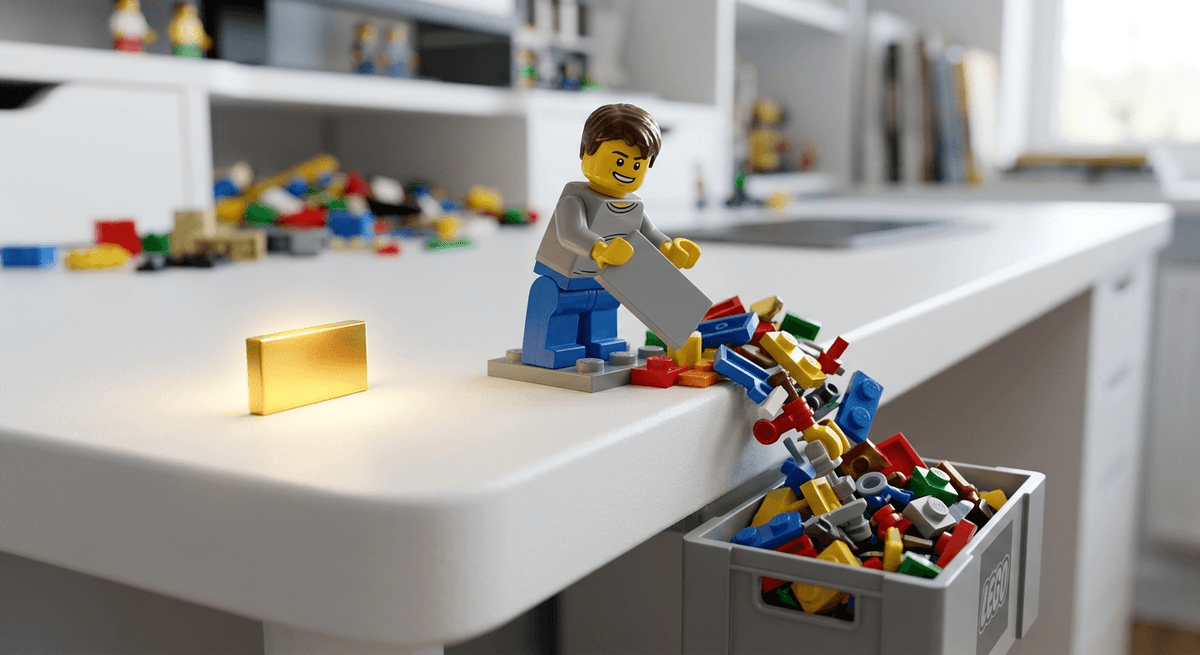
Your context window is a workbench, not a storage unit. When the workbench gets too cluttered, you stop doing actual work and start searching for your tools. The AI is no different. Clear the bench.
Try this Monday: Take your longest running AI chat—the one that's starting to give you lazy, generalized answers. Run the session handoff prompt. Copy the output. Clear the chat. Paste the summary into a fresh session.
Watch the reasoning speed return.
Now go break something.
Continue Your Journey
AI Development for Non-Technical Builders: Stop trying to prompt-engineer your way out of system design problems and start building actual orchestration layers.
The Second Brain: Build a personal knowledge management system that actually works with your AI tools, not against them.